 Lynkin
Automate LinkedIn without giving login access
Lynkin is a web app for campaigns, lists, inbox, and analytics - plus a Chrome companion that runs actions on your live LinkedIn tab. No LinkedIn password to the cloud. No cookie farming.
- No LinkedIn password to the cloud
- App + Chrome companion
- Risk caps & warm-up built in
Built for operators who need results
Outreach that runs, replies in one place, and analytics that show what to fix next. How we keep execution safe.
Outreach that actually runs
Sequences keep moving while you work - invites, waits, and follow-ups paced to stay human.
Replies land in one inbox
Conversations sync into Lynkin so you tag, snooze, and close loops without LinkedIn tab chaos.
Know what converts
Step funnels and lifecycle analytics show invites, accepts, and replies - fix weak steps fast.
Pricing
Trial, Personal, Business, and Enterprise - one catalog for individuals and teams. LinkedIn seats listed up front.
Trial
3 days · no card required
1 LinkedIn seats
Prove the companion workflow on one LinkedIn account.
- 1 LinkedIn seats
- 1 active campaigns
- No soft invite cap
- Linear sequences · inbox · analytics basics
- Risk limits & warm-up controls
- Personal or org workspace at signup
Personal
per month · demo checkout or license key
3 LinkedIn seats
For operators running real outreach volume.
- 3 LinkedIn seats
- 5 active campaigns
- Accept / Reply branches
- Smart segments · advanced extracts
- Bulk tools (withdraw, accept invites)
- No soft invite cap
Business
per month · demo checkout or license key
15 LinkedIn seats
Full platform for serious pipeline teams.
- 15 LinkedIn seats
- Unlimited active campaigns
- Everything in Personal
- Webhooks · HubSpot / Sheets hooks
- AI message assist
- No soft invite cap
Enterprise
annual contract · custom license
Custom LinkedIn & member seats
Volume seats, org workspaces, security review, and dedicated onboarding.
- Custom LinkedIn seat packs (25+)
- Org member seats & shared workspace
- Everything in Business
- Dedicated onboarding & priority support
- Security review · MSA · optional SSO
- Custom risk caps & procurement paperwork
No card for trial · demo checkout at /payment · keys for Personal / Business · Enterprise custom
Companion-first vs cloud bots
Lynkin separates the control plane (web app) from execution (your Chrome tab). Cloud tools typically run both from remote infrastructure.
See detailed comparisons with Expandi, Dux-Soup, HeyReach, and more, or read how we handle security & companion execution.
See the workflow
Plan in the app. Execute on your live LinkedIn tab. Measure what converts.
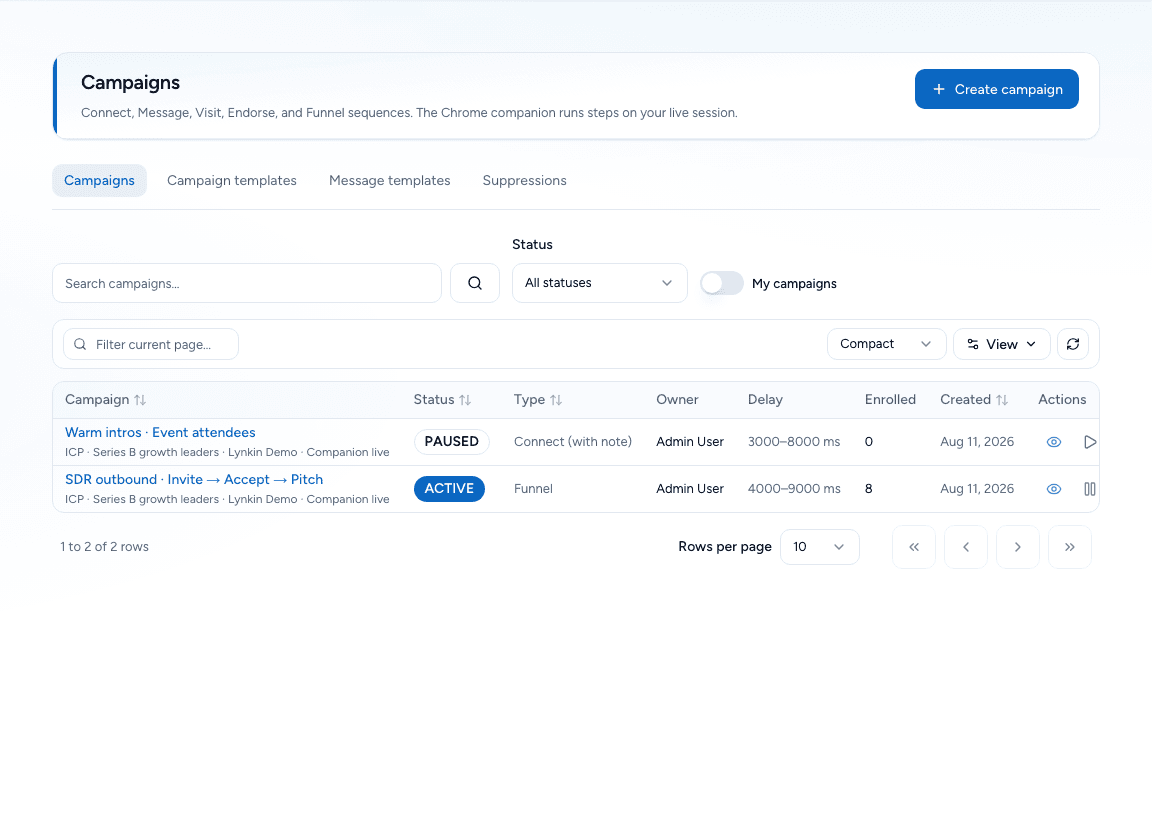
campaigns
Campaign builder with real branches
Invite, wait, Accept/Reply forks, messages, visits, and engage steps - designed in the app, executed by the companion.
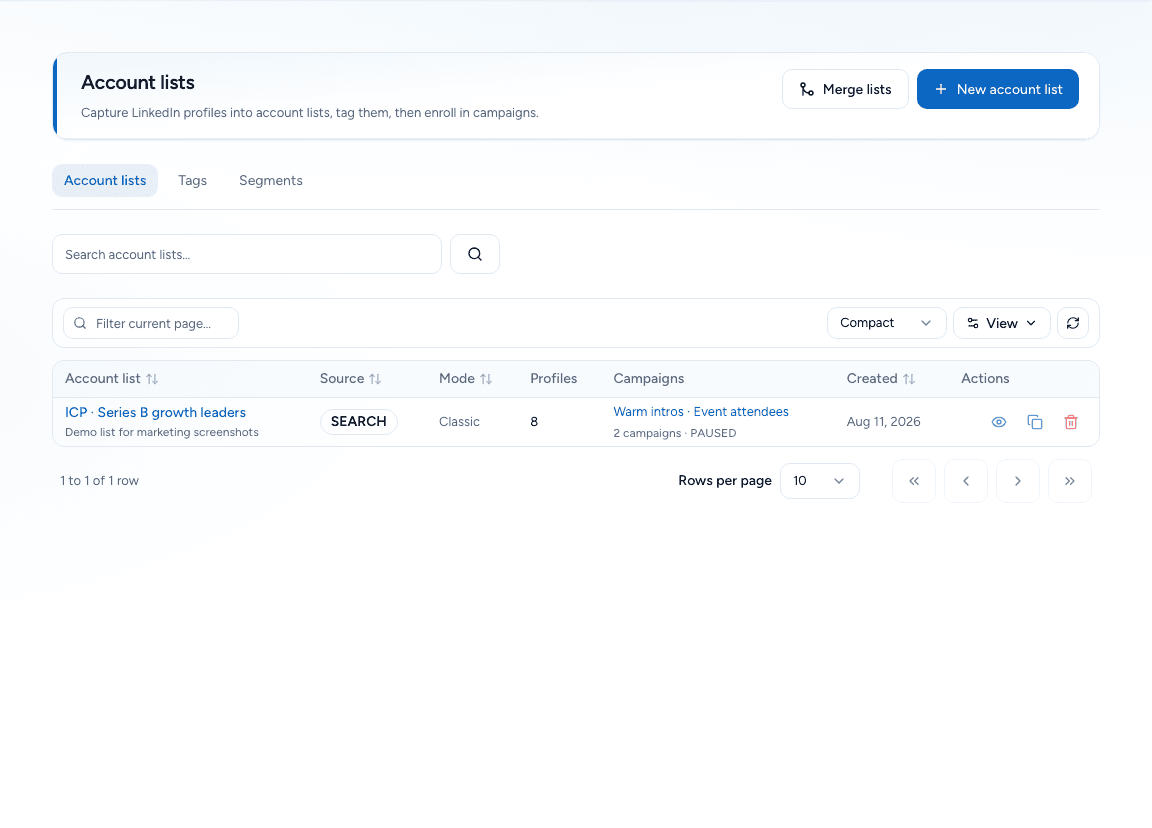
lists
Lists & extracts from LinkedIn
Capture from search, posts, groups, events, who-viewed, and connections - then enroll into campaigns.
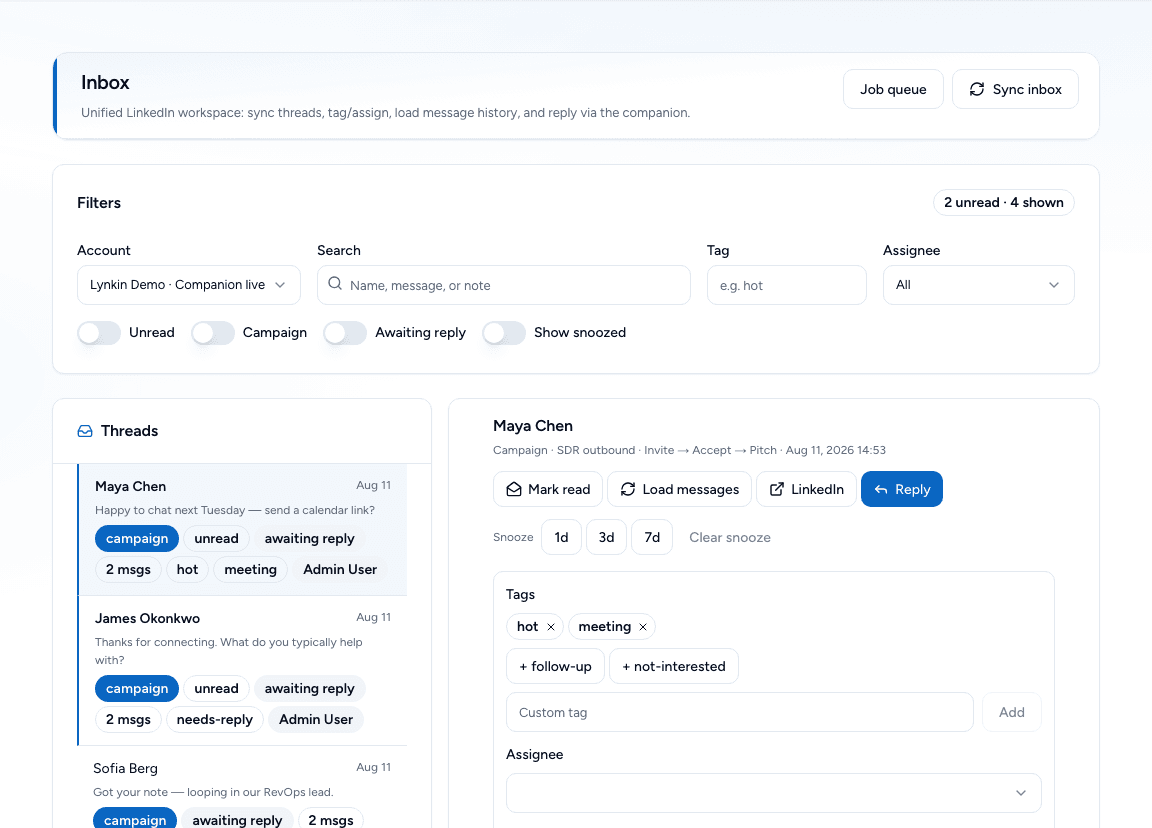
inbox
Unified inbox CRM
Synced threads with tags, notes, assignee, and snooze so every reply has an owner.
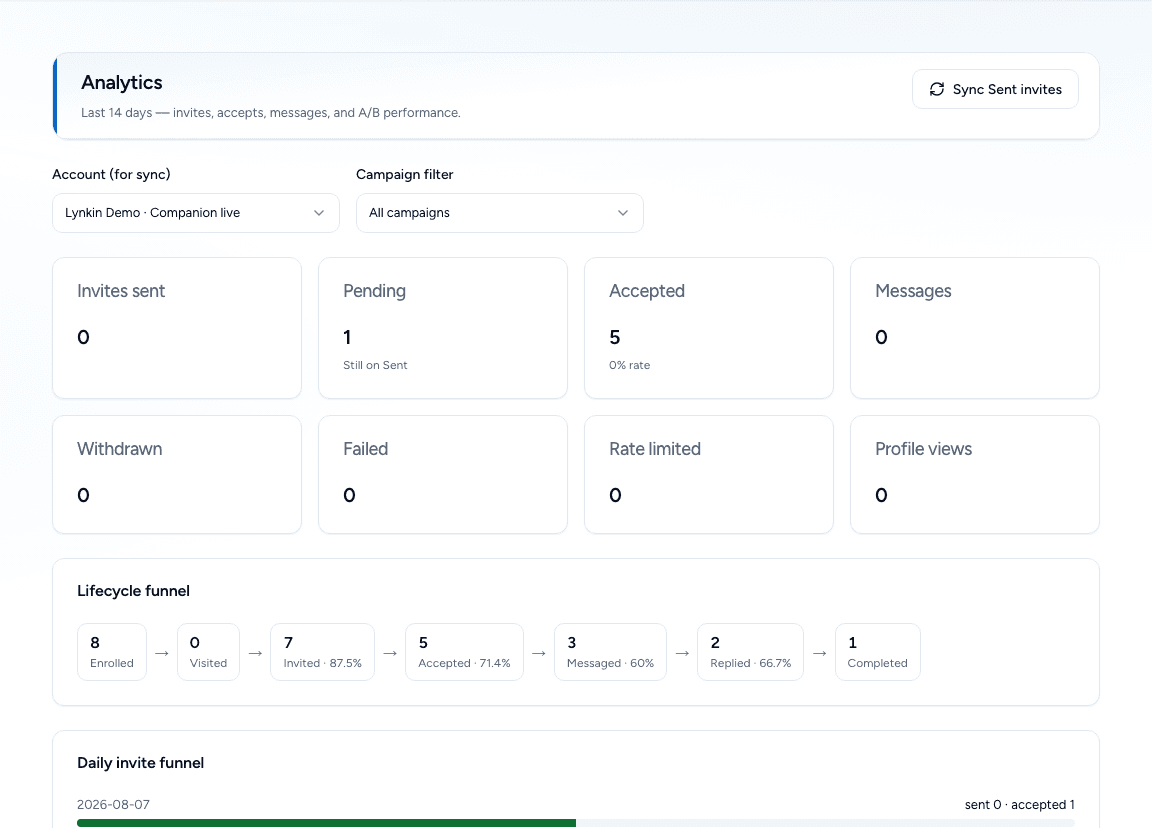
analytics
Lifecycle analytics that operators use
See enrolled → invited → accepted → messaged → replied funnels so you know which step to fix.
Features
Everything you need for LinkedIn outreach without a cloud login farm.
Invites & withdraw
Personalized notes, soft daily pacing, and bulk withdraw when you need a clean slate.
Accept / Reply forks
Branch after accept or reply so interested leads get the pitch - silent ones take a different path.
Visit & engage
Profile visits, likes, comments, endorsements, and group actions - still in your tab.
Smart extracts
Pull leads from search, posts, events, groups, who-viewed, and connections.
Inbox CRM
Tags, notes, assignees, snooze - close loops without living in LinkedIn messaging.
Risk & warm-up
Caps, company throttles, Activity Control, and canary checks before risky runs.
App + Chrome companion
The app is the brain. The companion is the hands on your live LinkedIn tab.
Web app
Plan, enroll, and manage pipeline
Build lists, design sequences, track funnels, and work replies in a unified inbox CRM - all at lynkin.app.
- Campaigns & Accept/Reply branches
- Lists, segments, and extracts
- Inbox CRM with tags & snooze
- Risk caps, warm-up, analytics
Chrome companion
Execute on your real LinkedIn session
Pair once, keep LinkedIn open, and the companion claims jobs - invites, messages, visits, engages, withdraws - at a human pace.
- Runs in your Chrome tab
- No LinkedIn password to the cloud
- Activity Control & daily pacing
- Canary checks before risky runs
After you start a trial, install and pair the Chrome companion from Companions
Start free trialCompare Lynkin
See how companion-first execution differs from cloud LinkedIn automation tools.
vs Expandi
Cloud LinkedIn automation vs companion-first execution
Lynkin runs actions through a Chrome companion on your live LinkedIn tab — no LinkedIn password to the cloud.
Read comparisonvs Dux-Soup
Extension scraping/outreach vs full campaigns + inbox CRM
Lynkin pairs companion execution with campaigns, lists, inbox, analytics, warm-up, and risk caps in one app.
Read comparisonvs HeyReach
Agency seat scaling vs safer companion execution
Lynkin emphasizes companion-first automation so client LinkedIn passwords are not stored to run cloud jobs.
Read comparisonExplore LinkedIn automation guides
Compare architectures, browse alternatives, and read how companion-first safety works.
Frequently asked questions
Do I give Lynkin my LinkedIn password?
No. You stay logged into LinkedIn in Chrome. The companion runs in that tab. Lynkin never needs your LinkedIn password to execute jobs in the cloud.
Do I need the Chrome companion?
Yes for execution. The web app plans campaigns and queues jobs; the companion claims and runs them in Chrome or Firefox. After signup, download it from Docs → Browser extension, then pair from Companions.
Is there a free trial?
Yes - 3 days, no card required, one LinkedIn account. Upgrade later with a Personal or Business license key.
How is this different from Expandi / cloud tools?
Those products typically run outreach from cloud infrastructure. Lynkin is companion-first: your browser session is the executor. The app is the control plane.
Can teams share a workspace?
Yes. Organization plans add member seats, LinkedIn seats, and ORG_ADMIN / ORG_MEMBER roles with a shared workspace switcher.
Where do I get a paid license?
Use /payment to preview checkout, or contact us for a Personal, Business, or Enterprise key (individual or org). Redeem under Licenses or the org console. Real card billing is coming.